
-

Products
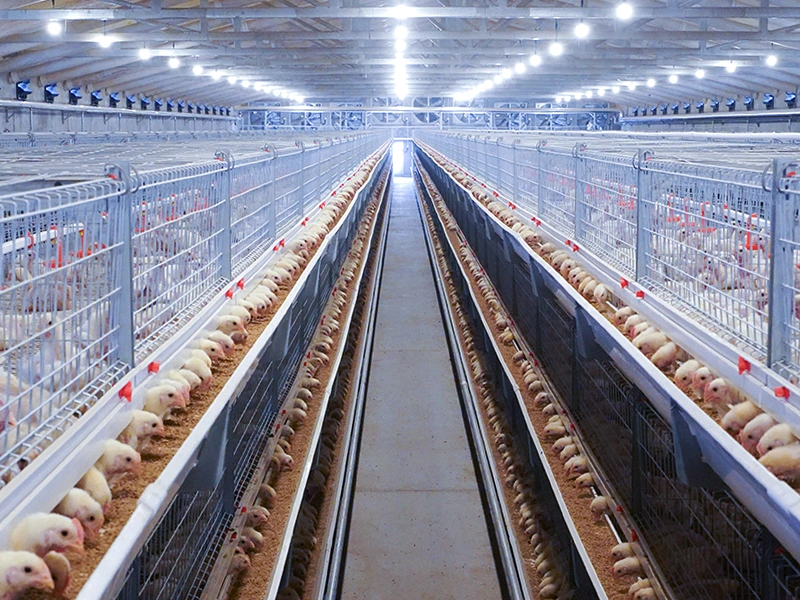
Main products include: large-scale livestock fans, large-scale greenhouse dedicated fans, industrial plant dedicated fans, circulation fans, roof automatic ventilators and other ventilation and cooling systems; wet curtains - fans, cold fans and other cooling and humidification systems; coal (fuel oil, electricity, gas) hot air fans, exhaust fans and other heating systems; feed towers, feed lines and other feeding systems; animal husbandry cage systems; scraper conveyor manure removal machines, belt conveyor manure removal machines and other manure removal systems.
-

About Us
For many years, it has been committed to the development and promotion of national environmental protection and energy-saving products. It is a high-tech enterprise specializing in the production of environmental control-related equipment and technical services.
-
Blog
The company's goal is to provide customers with the best solutions for temperature and humidity control, to provide high-quality production and living environments for your greenhouses, livestock and poultry houses, industrial plants, etc., and to create the best benefits for you!

Beat the Heat: Discover the Magic of a Cooling Pad
Release time:
2025-09-08
Introduction: The Ultimate Comfort Companion
Hey there! If you've ever found yourself sweating bullets while working on your laptop or gaming rig, you're not alone. Let's face it, overheating is the bane of every tech lover's existence. But fear not! Enter the Cooling pad—your new best friend for keeping things chill!
What is a Cooling Pad?
So, what's the deal with a Cooling pad? Essentially, it's a device that helps dissipate heat from your computer. These nifty gadgets come equipped with fans that increase airflow, ensuring that your laptop doesn't turn into a mini oven.
Why You Need One
Let's break it down. Imagine you're in the middle of an intense gaming session, your laptop's fans are whirring, and suddenly, it starts to lag. Frustrating, right? A Cooling pad can help prevent those heat-induced slowdowns, prolonging your device's lifespan. Plus, it's more comfortable to use a cooler laptop on your lap—trust me!
Choosing the Right Cooling Pad
Not all Cooling pads are created equal, my friend! Here are a few things to consider:
- Size Matters: Make sure it fits your laptop. Most pads accommodate a range of sizes, but double-checking won't hurt.
- Fan Power: Look for adjustable fan speeds. You want to customize your cooling experience—sometimes, you might need a gentle breeze, and other times, a hurricane!
- Portability: If you're on the go, a lightweight and slim design will make a world of difference.
- Ergonomics: Some Cooling pads come with adjustable heights. This is a game-changer for preventing neck strain during long hours of use.
Top Picks in the Market
Now that you know what to look for, let's check out some top-notch Cooling pads available:
- Cooler Master NotePal X3: This bad boy is a favorite among gamers, thanks to its robust cooling performance.
- Thermaltake Massive 20 RGB: Not only does it cool, but it also lights up your setup with vibrant RGB lights!
- Kootek Cooler Pad: With multiple height settings and fans, it's versatile and efficient.
How to Use a Cooling Pad Effectively
It's not just about having one—it's about using it right! Here are some tips:
- Positioning: Place your laptop centrally on the pad for optimal airflow.
- Regular Cleaning: Dust can be a thermal enemy. Keep those fans clean for peak performance.
- Monitor Temperatures: Use software to keep an eye on your laptop's temperature. If it's still heating up, consider upgrading your Cooling pad.
The Bottom Line
In a nutshell, a Cooling pad isn't just a luxury; it's a necessity for anyone who wants to keep their tech cool and their performance hot! Whether you're gaming, working, or just browsing, investing in a good cooling solution can save you headaches down the road.
Final Thoughts
So, what are you waiting for? Don't let overheating ruin your digital adventures! Grab yourself a Cooling pad, kick back, and enjoy the cool breeze while you tackle your tasks like a pro. You'll wonder how you ever lived without it!
recommend Content
2025-04-24
Share

Engaged in all kinds of cooling heating and animal husbandry equipment
Qingzhou Ventimax Equipment Co.,Ltd.
Economic Development zone,Qingzhou,China